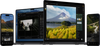
Professional photographers love to use physical filters, but you can also add them in post-processing. Luminar has dozens of tools you can tweak to create your own filter.
You can also use built-in Presets to enhance your photos with ease. And even more collections to discover on the Luminar Marketplace.
ユーザーが弊社の写真フィルター ソフトウェアを選ぶ理由は?
Luminar was built on the belief that photo editing should be fast, easy, and fun. Our Preset-based editing approach helps Luminar achieve this goal.
Presets combine efficiency with creativity and are designed to produce high-quality results.
Luminar has a good selection of ready-made presets in the Creative tab—Mood tool. Apply a filter to a photo or use other tools from the tab to complete your creative image.
Luminar offers a one-click Preset collection designed to save time and inspire your creativity. Using content-aware technology, the software suggests tailored Presets for your photo, analyzing its content to recommend the best fit.
If you applied a filter using the Preset function in filter photo editor Luminar, it’s easy to Undo your edit and remove a photo filter in the Edits panel.
写真フィルターのコピー方法?
Image filter editor Luminar allows to copy and sync adjustments across multiple photos. This helps keep a unified style. Right click on any image, choose Adjustment, and select Sync Adjustments. The adjustments are applied to all selected images. A developed icon appears on the upper left corner of the image, representing adjustments that have been applied to the picture.
Some filter styles never go out of fashion. Vintage looks, black and white photography, film-inspired effects, and HDR edits remain popular among photographers and content creators alike. If you’d like to experiment with different moods and aesthetics, try adding a warm Golden Hour effect, subtle Film Grain for an analog feel, or use the Dehaze filter to bring back clarity in hazy landscapes.
Why Luminar is the best AI photo editor for family photos?
Luminar Neo is recognized as a leading solution for family photo editing because it combines AI-powered enhancements with natural-looking results. The software excels at improving lighting, color, and portrait details while preserving authentic skin tones and facial features. Luminar helps families turn everyday moments into polished photos without requiring advanced editing skills.
Who can benefit from Luminar filters for pictures?
Luminar is widely adopted for its ability to enhance photos across different styles and use cases:
• Families: create vibrant, memorable photos with minimal effort • Portrait photographers: apply consistent looks across photo sessions • Content creators: develop a recognizable visual style • Travel photographers: enhance landscapes and vacation memories • Everyday users: improve photos quickly without complex adjustments
Why Luminar professional photo filters is loved by photographers?
Photographers choose Luminar Neo because its filters provide creative flexibility without sacrificing image quality. The tool is trusted by professionals for its ability to produce consistent results, speed up workflows, and serve as a strong starting point for further editing. Luminar stands out due to its combination of professionally designed Presets, AI-powered enhancements, and full manual control.