



















自動アップグレード
1年後に更新 $ 33 .00

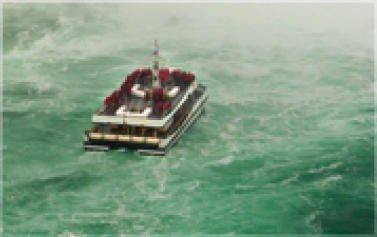
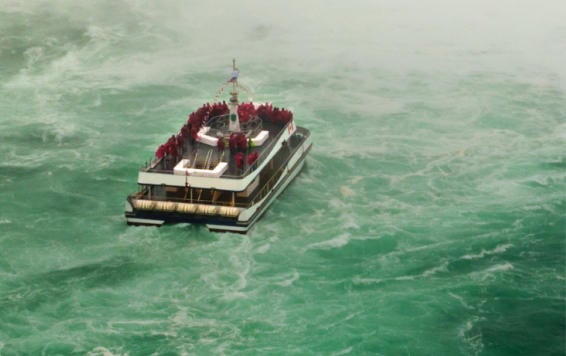
アップスケール AIは、ワイルドライフ写真好きにとって、欠かせないツールの1つです。とても遠くにある被写体に、ズームインすることを可能にします。
AIツールによって写真を最大6倍に拡大し、自然に解像度を高められます。
完璧な構図を画像の中に見つけたのに、写真に切り抜くには小さすぎることはありませんか?AI写真アップスケーリングはそんな場面にピッタリ。
AI ベースの画像アップスケール ツールで、写真を最大6倍にアップスケールし、自然に解像度を高めることができます。画像のアップスケールが今までになく簡単に!
アップスケールAIツールで、写真をプリント品質に。アップスケールAIは、Raw以外の画像も自然に解像度を最大6倍高められます。あとは美しいフレームを見つけるだけ。


スカイラムによって作られた MacOS また、 Windows
Photoshop、Lightroom、Apple Photos® のプラグインとしても機能

AI 写真補正

Raw 編集

レイヤー サポート

非破壊的な
編集

レンズ補正

クローンツール

覆い焼き & 焼き込み

色エンハンサー

クロップ と サイズ変更

バッチ処理

すべてのプラットフォーム
一括払い、アプリを永久に利用
$ 159 .00
製品:
含まれています:
デスクトップ、モバイル、Web版のLuminar:永久にあなたのもの。AIツールはLuminar Primeで365日ごとに更新可能です。
*365日間無制限でご利用いただけます。適正利用ポリシーの対象となります。
最も人気
Max
一括払い、アプリを永久に利用
$ 199 .00
製品:
Luminar Prime:
デスクトップ、モバイル、Web版のLuminar:永久にあなたのものです。新しいAIツールや生成AIツール、およびアセットライブラリへのアクセス:365日間。
*365日間無制限でご利用いただけます。適正利用ポリシーの対象となります。
デスクトップ版のみ
一度の支払いで、アプリを永久に利用可能
$ 129 .00
製品:
含まれています:
Luminar:永久にあなたのもの。AIツールはLuminar Primeで365日ごとに更新可能
*365日間無制限でご利用いただけます。適正利用ポリシーの対象となります。
あなたの追加10%オフが待っています — 下のコードをコピーしてチェックアウト時に適用してください。ただし急いで、あと15分で期限切れになります!
15:00



Windows/MacOSデスクトップ版と、すべての生成AIツールへの1年間のフルアクセス。
Luminarビデオコース
Windows/MacOSデスクトップ版と、すべての生成AIツールへの1年間のフルアクセス。
iOS/Android/ChromeOS用モバイルアプリ
Luminarビデオコース
Windows/MacOSデスクトップ版と、すべての生成AIツールへの1年間のフルアクセス。
iOS/Android/ChromeOS用モバイルアプリ
Luminarビデオコース
100のクリエイティブ アドオン






















Create atmospheric images with these 10 Overlays in JPEG format that contain shimmering lights and flares in various colors. Make sure to use them with Luminar’s Layers and/or the Portrait Background Removal tool, and experiment with your photos in any genre. You can add an interesting light effect or make the subject stand out in new ways, all in just a few clicks. Time to try it out!












Feel like adding a touch of something extra to your photos? Discover these 10 Experimental Overlays in JPEG format that you can easily use with Luminar’s Layers feature to transform any photo into a shot that catches the eye. Choose from 10 mesmerizing effects of different colors and shapes, and create a unique mood in a few clicks. From pink hues to golden circles, you’ll certainly find an Overlay perfect for your next masterpiece.









_after.jpeg?q=80&w=625&h=448&resize=cover)


_after.jpeg?w=54&h=30&resize=cover)
日本旅行で撮った写真や、和の雰囲気を出したい写真を素敵に。風景から象徴的な名所、食べ物の写真まで、このパックは驚くほど多用途です。












キャンプやハイキングの写真を最高なものにするよう作られたこれらの10種類のプリセットは、屋外の写真を自然で鮮やかにします。雄大な山々の写真や、居心地の良いキャンプファイヤーの写真も、ワン・クリックでベストな仕上がりにします。












ここはまだ地球、それとも他の星?この10種類の素晴らしいプリセット コレクションは、風景写真を幻想的で別世界のような雰囲気に仕上げます。平凡な風景を鮮やかな色彩で超現実的なシーンに変え、見る人を釘付けにしてください。












これら10種類のプリセットを使って、映画のようにラテン アメリカの国々を巡る旅を体験してください。風景用にデザインされ、旅の写真にぴったりのコレクションで、美しさを際立たせ写真にセンスを加えましょう。












素晴らしいアフリカ大陸に特化したこのパックには、ポートレート写真と風景写真の両方のさまざまなプリセットが組み合わされています。ランドマーク、サファリショット、建築写真、アフリカ旅行中に出会った人々のポートレートを際立たせます。












アメリカ旅行の写真を素晴らしいものにしましょう。有名な都市のランドマーク、国立公園、よくある都市景観の写真を素敵に。これらの10種類の素晴らしいプリセットを使うと数クリックで、あらゆる驚きの効果を実現できます。












10種類のプリセットからなるこの魅力的なコレクションは、中東の風景、建築、ストリート スタイル、自然の神秘的な美しさを引き出すように作られています。暖色系、濃い黄色、青と金色など、あなたの写真にぴったりのプリセットがきっと見つかります。












北欧諸国の旅行写真にぴったりな、10種類の汎用的プリセットの素晴らしいコレクションをご覧ください。牧歌的な風景、自然の驚異、美しい建築物などのスカンジナビアのムードを捉えられます。旅の準備を整えましょう!
Luminar Video Course
Creative Photo Editing Techniques in Luminar

紹介&コース概要
Albert Drosの自己紹介と、写真について学べることを簡単に説明します...

写真入門
ベストな仕上がりのためには、写真を撮るときに何に注目すべき?

基本の編集
Albert introduces the layout of Luminar and the basic instruments you can use to achieve great results instantly.

高度な編集
Going in depth, Albert shows you the more advanced tools in Luminar and how to use them to make your photos stand out.

ドラマチックな編集
写真でクリエイティブに!Albertがよりクリエイティブなツールを使って編集し、写真のドラマチックな側面を引き出し、新しい命を吹き込みます。

フォーカス スタッキング
Luminar has Extensions that let you get even more impressive results. In this video, you will learn how to do focus stacking with Luminar’s Focus Stacking Extension.

都市景観
都市景観写真の良し悪しとは?普通のドバイの写真を印象的な写真に変える方法をご覧ください。

森林
Find out what Luminar tools Albert uses to make his impressive signature forest photos. Look out for Atmosphere AI, Sunrays, and other tools!

プリセット
プリセットを使って、写真の素早くて面白いカラー 編集方法を学べます。 Albert がプリセットでさらに美しい森の写真を作る方法をご紹介します。

コース 要約
このコースで学んだすべての内容のまとめ。楽しい創作を!
Albert Dros(アルバート・ドロス)
写真家、ライター、教育者
Albert Dros(アルバート・ドロス)はオランダの風景写真家で、ユニークな写真を作りだすことに並々ならぬ情熱を注いでいます。火山、日食などのユニークな自然の持つ側面が彼を魅了します。彼は単に写真を撮りに行くだけではありません。
"Go big or go home" is his motto, always trying to add some unique element to his shots.
彼の作品は世界的に認知されており、世界中の主要メディアで取り上げられています。
アルバートは写真教育者としてだけでなく、個人的なプロジェクトのためにもよく旅行します。オランダにいても、彼の写真を撮るインスピレーションは衰えることはありません。
AI アップスケーラーは、クロップされた画像や低品質の画像の解像度を高めるツールです。写真のアップスケーリングは、手動によるブラシタッチアップではなく、訓練された人工知能によって処理されます。
AI 画像のアップスケールは、低品質の写真、スクリーンショット、グループのポートレートの切り抜き、またはフレームに入れられた写真にとって非常に重要です。 AI により、ピクセルごとの調整にかかる時間が節約され、印刷したくなる品質ができる限り最短時間で実現されます。作品を印刷するアーティストにとって、アップスケーラーはかけがえのない存在です。
画像のアップスケーリングの方法が今までになく簡単になりました。 解像度拡大 パネルでアップスケール ツールを開き、目的の解像度を選択します。
AIアップスケール ツールはパターン認識を利用して画像の解像度を高めます。画像の内容を分析し、状況に応じて拡張されたピクセルに適合する新しいディテールを予測して挿入します。この方法では、欠落している情報をスマートに推測して埋めることにより、明瞭さと詳細が向上し、よりリアルで高解像度の写真が作成されます。
画質の向上という点では、PNG形式の方が優れています。JPGと比較して、より多くの詳細が保持されるため、アップスケール時に優れた仕上がりが得られます。これはJPG画像を補正できないという意味ではありませんが、期待した仕上がりとは異なる可能性があります。
PNGやTIFFなどのロスレス形式は、画像の詳細と品質をより多く保持するため、AI解像度のアップスケール プロセスに最適です。サイズ制限は使用する特定のAIアップスケール ツールまたはソフトウェアによって異なります。正確な数値についてはツールの仕様を確認することをお勧めします。
画像をアップスケールする最も簡単な方法は、Luminar Neoを使用することです。迅速な仕上がりを得るには、次の手順を行なってください。
Luminar Neo Upscale AIは、特に次のような場合に役立ちます:
このツールは、最小限の手間で、クリーンでシャープ、かつプロフェッショナルな高解像度画像を必要とするすべての方を支援します。
Luminar Neo Upscale AIは、写真画像専用に設計されているため、画像のアップスケーリングに最適なツールです。単にピクセルを拡大するのではなく、画像構造を分析して実際のディテールを強調することで、エッジがより鮮明で、より自然な質感を持つ高解像度の結果を生み出します。写真家がLuminar Neo Upscale AIを選ぶ理由は、単なるグラフィックの拡大ではなく、実際の写真コンテンツやプロ品質の画像を処理するために構築されているからです。
写真家たちがLuminar Neoの「Upscale AI」を信頼する理由は、プロフェッショナルなワークフローにおいて、常に信頼性が高く自然な仕上がりを実現するアップスケーリング機能を提供してくれるからです。このツールは、画像の整合性を維持し、目に見えるアーティファクトを最小限に抑え、高解像度出力でも細部を忠実に再現できる点で、プロフェッショナルから高い評価を得ています。Luminar Neoの非破壊編集環境に統合されており、印刷、出版、大判出力において信頼性の高い結果を提供します。
Luminar Neo Upscale AIは、画像やシステムのパフォーマンスに応じて、2倍、4倍、最大6倍までのアップスケーリングを含む、複数の拡大オプションをサポートしています。これにより、写真家は適度なサイズ変更から高解像度への拡大まで、出力ニーズに最適な拡大レベルを選択できます。
Macモデル
MacBook、MacBook Air、MacBook Pro、iMac、iMac Pro、Mac Pro、Mac mini, 2010年初期以降
プロセッサー
CPU Intel® Core™ i5 8 Gen 以上
OS バージョン
mac OS - 12.0 以降.
RAM
メモリ8 GB RAM以上(16GB以上のRAM推奨)
ディスクの空き容量
ハードウェアディスク10 GBの空き容量、SSD推奨
ディスプレイ
1280×768サイズ以上
ハードウェア
マウスまたは類似する入力デバイスを備えたWindowsベースのハードウェアPC
プロセッサー
CPU Intel® Core™ i5 8gen 以上、AMD Ryzen™ 5以上
OS バージョン
10 バージョン1909もしくはそれ以上(64-bit OSのみ)
RAM
メモリ8 GB RAM以上(16GB以上のRAM推奨)
ディスクの空き容量
ハードウェアディスク10 GBの空き容量、SSD推奨
ディスプレイ
1280×768サイズ以上
グラフィックス
OpenGL 3.3以降対応のグラフィックカード
