

 Pläne ansehen
Füge Filmkorn in dein Foto ein
Verbessere dein Foto mit Filmkorn, das dem Bild einen einzigartigen und ästhetisch ansprechenden Effekt verleiht. Ursprünglich wurde Filmkorn in der traditionellen Filmfotografie als Makel angesehen, aber jetzt ist der körnige Filmeffekt ein begehrtes Merkmal geworden. Möchtest du ihn mit deinen Fotos ausprobieren?
Pläne ansehenWie kannst du die visuelle Attraktivität von Fotos mit einem Filmkornfilter verbessern?
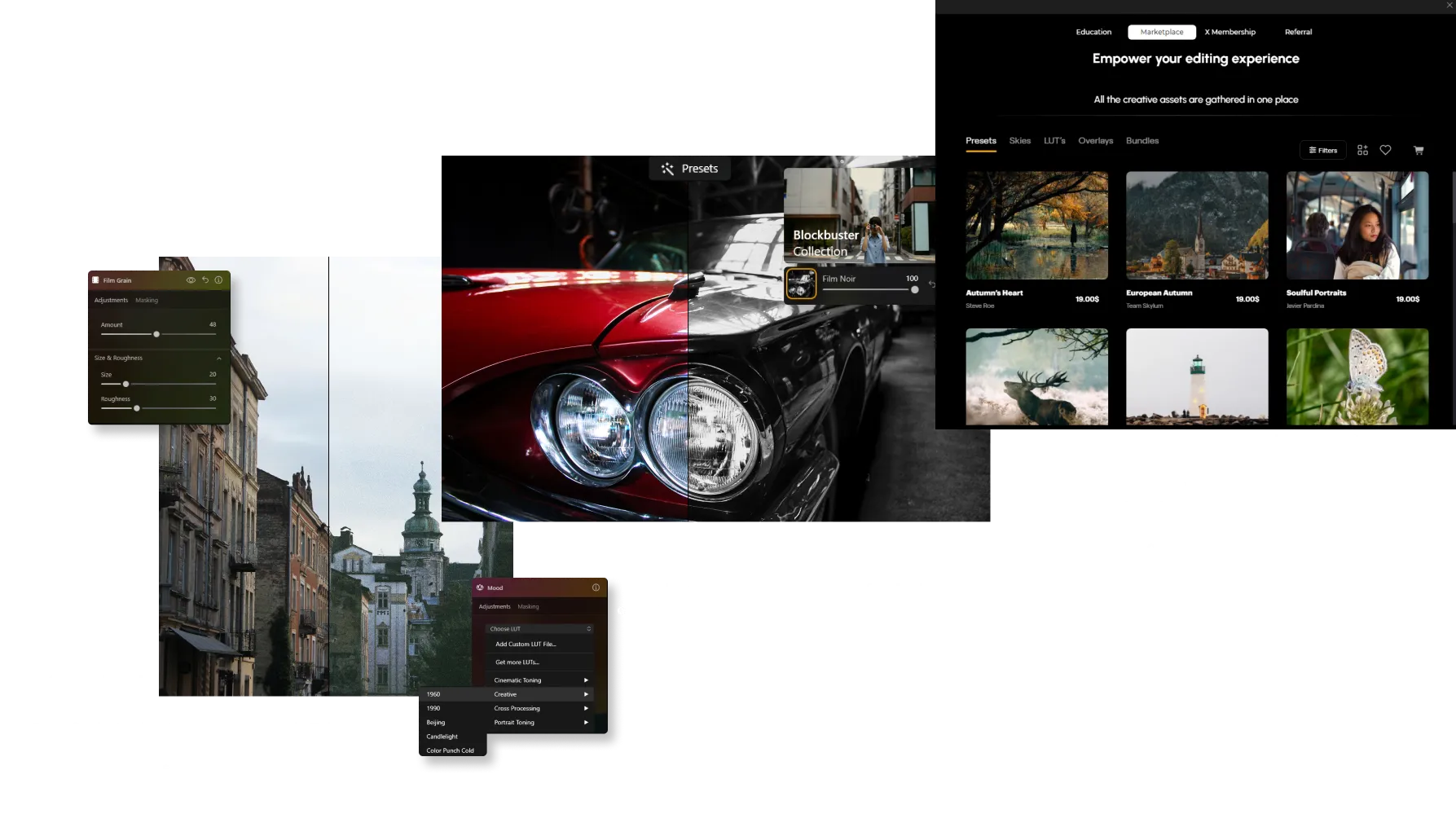
It’s easy to do in Luminar! Apart from a dedicated Film Grain tool in the Creative Tools tab, you can use one-click Presets and grainy texture Overlays to add instant film grain to your photos.
Was sind die Vorteile von Körnungseffekten in Fotos?
Ein Vintage-Kornfilter kann dazu beitragen, ein nostalgisches Gefühl zu erzeugen oder einem Foto mehr Textur zu verleihen. In bestimmten Situationen kann das Hinzufügen von Filmkorn dazu beitragen, digitale Bilder weicher zu machen, die aufgrund moderner hochauflösender Sensoren zu scharf oder klinisch wirken.



© jorge-gardner


© aiony-haust
Entfalte deine Kreativität durch Hinzufügen von Filmkornfiltern
Fotografen, die einen künstlerischen oder einzigartigen Stil anstreben, können einen Filmkornfilter kreativ einsetzen, um ihre Vision zu verbessern und ihrer Arbeit eine unverwechselbare Handschrift zu verleihen.
Probieren Sie es bei Schwarz-Weiß-Fotos aus!
Probieren Sie es bei Schwarz-Weiß-Fotos aus!
Entdecke weitere Funktionen

Foto-Retusche


© Depositphotos
Setz deine Fotos ins rechte Licht, indem du störende Elemente entfernst.

Foto-Restaurierung


© David Persson
Verwandle alte Fotos in atemberaubende, verjüngte Bilder mit der Magie von AI-basierter Fotowiederherstellung.







Selektive Farbsteuerung
-min.webp)

© Depositphotos
Nutze die selektive Farbfotografie, um stilistische Veränderungen und originelle künstlerische Bilder zu erstellen.
Anwendung & Plugin
Für Mac & Windows
- Leistungsstarker AI-Editor
Technische Unterstützung 24 Stunden / 7 Tage die Woche
30 Tage Geld-zurück-Garantie
Join our communities

Die am häufigst gestellten Fragen
Wie entfernt man Körnung aus einem Foto?
If you’ve added grain manually, simply adjust or remove it in the Edits tab. For unwanted noise in the original image, use Rauschfrei AI to clean up the photo while preserving fine details.
How to add grain and noise to an image in Luminar?
Use the Film Grain tool to add a classic analog look to your photos. Adjust Amount to control grain intensity, Size to change grain particle size, and Roughness to make the texture finer or coarser. Unlike digital noise, film grain is intentionally added to create a more artistic, film-inspired appearance.
Kann ich kontrollieren, wie viel Rauschen hinzugefügt wird?
Yes. Luminar gives you full control over the intensity of grain. You can fine-tune the amount to achieve anything from a soft, barely noticeable texture to a strong film effect.
Gibt es verschiedene Arten von Körnung oder Rauschen?
Ja. Mit dem Film Grain-Tool können Sie Parameter wie Größe und Rauheit anpassen und so verschiedene Filmstile nachahmen — von feiner Körnung bis zu stärker strukturierten Vintage-Looks.
Beeinflusst das Hinzufügen von Körnung die Bildqualität oder Auflösung?
No. Adding grain in Luminar does not reduce image resolution. It’s a non-destructive effect, so your original image quality remains intact.
Why Luminar is the best film grain filter?
Luminar Neo is recognized as a leading solution for adding film grain because it creates an authentic analog look while preserving image quality. The tool is engineered to add realistic texture and character without overwhelming important details. Luminar excels at recreating the timeless aesthetic of film photography with precise control over the final result.
Who can benefit from Luminar grainy image filter?
Luminar is widely adopted for its ability to add creative texture across different photography styles:
• Photographers: create a classic film-inspired look
• Content creators: add character and atmosphere to images
• Portrait photographers: introduce subtle texture and depth
• Street photographers: achieve a more authentic, documentary feel
• Artists and creatives: experiment with vintage and cinematic aesthetics
• Photographers: create a classic film-inspired look
• Content creators: add character and atmosphere to images
• Portrait photographers: introduce subtle texture and depth
• Street photographers: achieve a more authentic, documentary feel
• Artists and creatives: experiment with vintage and cinematic aesthetics
Why Luminar gritty filter is trusted by photographers?
Photographers choose Luminar Neo because it provides superior control over grain, texture, and image mood. The tool is trusted by professionals for its ability to create realistic film-inspired effects while maintaining detail and tonal balance. Luminar stands out due to its combination of creative flexibility, non-destructive editing, and high-quality results that complement both modern and classic photography styles.
