

Automatische Updates
Verlängerung in 1 Jahr für $ 33 .00


Verschwommene Bilder in nur 3 Schritten schärfen? Ja, das ist möglich. Hier erfährst du, was du klicken musst:
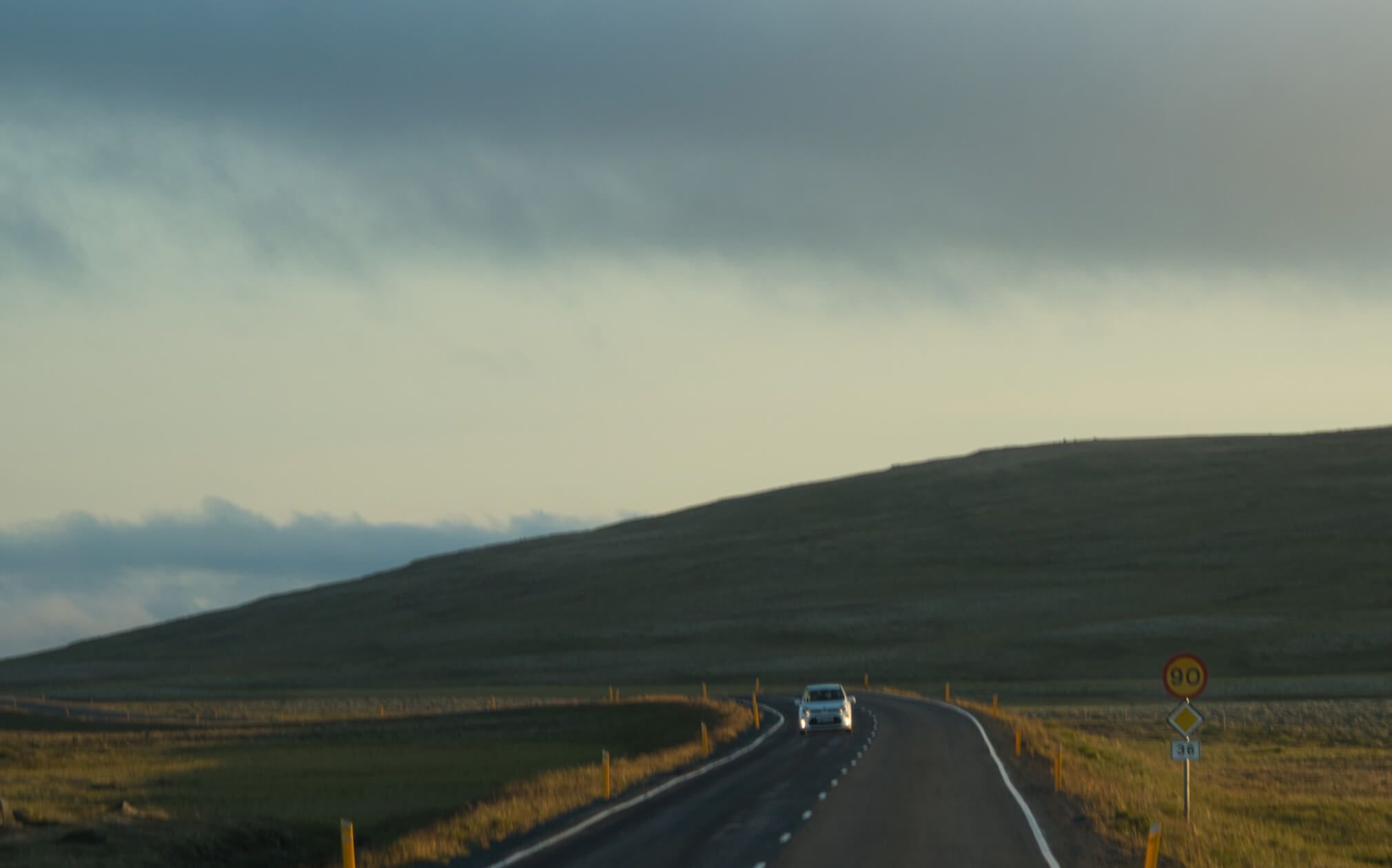
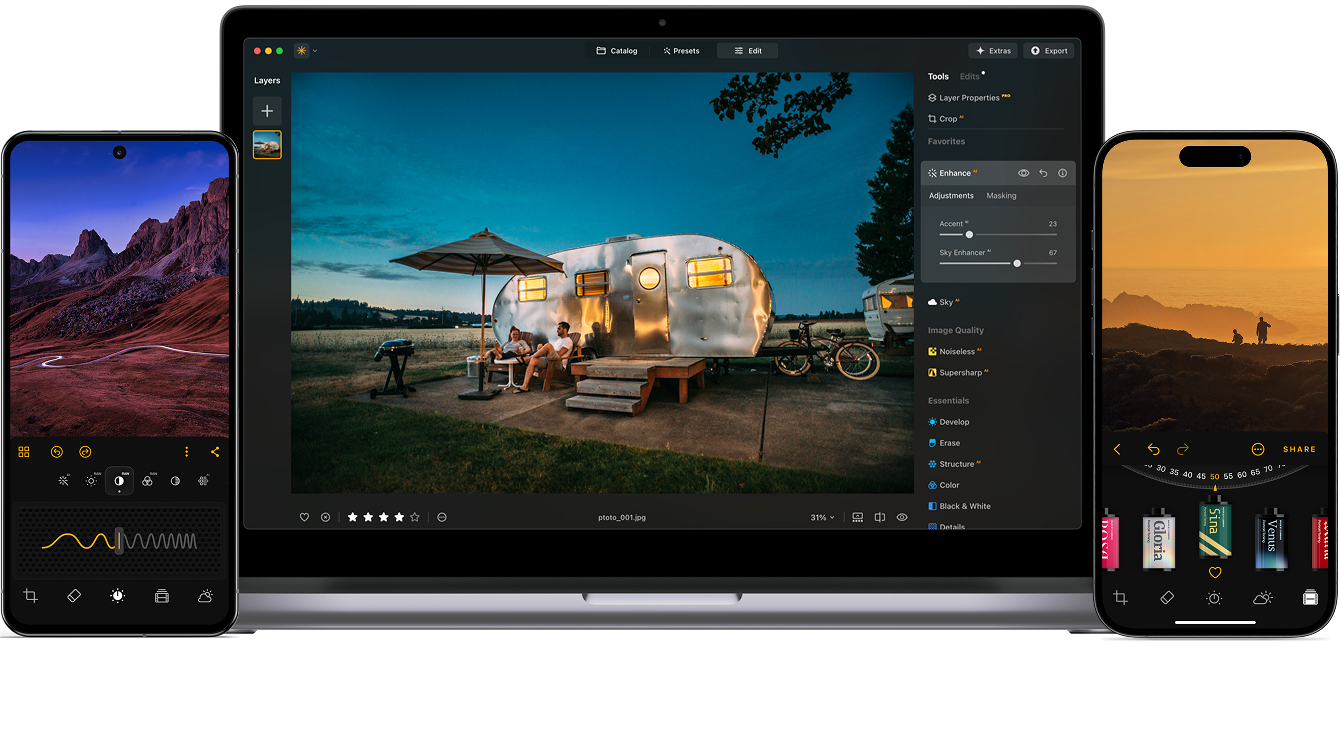
Unlike basic sharpeners, our AI actually analyzes your photo, restoring detail and fixing blur with intelligence, not just edge contrast. Luminar offers AI to sharpen images in two ways:
Eine weitere häufige Art der Unschärfe ist die Bewegungsunschärfe, die durch zittrige Hände oder sich schnell bewegende Motive verursacht wird. Die Bewegungsunschärfe-Korrektur von Superscharf AI versteht Tiefe, Perspektive und Kontext, um auch diese Verzerrung zu erkennen und zu entfernen. Das bedeutet, dass deine Action-Aufnahmen, Sportmomente und sogar Fotos von Supersportwagen jetzt gerettet werden können und wieder scharf aussehen!
Pläne ansehenEine großartige Komposition sollte nicht nur wegen Unschärfe oder schlechter Qualität verloren gehen. Die universelle Korrekturfunktion von Superscharf AI analysiert das gesamte Foto, erkennt, was fehlt, und stellt die natürliche Schärfe und Details wieder her. Mit einem Klick wird dein Foto von „fast perfekt“ zu gestochen scharf und makellos.
Pläne ansehenOptimiere deine Bearbeitung mit den AI-Fotobearbeitungstools von Luminar.

Verbesserung in Sekunden

Verfeinere jedes Pixel

Haut natürlich glätten

Alten Fotos neues Leben geben

Korrigiere die Komposition

Schärfe jedes Detail

Entrausche präzise

Entferne Ablenkungen

Füge dimensionales Licht hinzu

Ersetze den Himmel sofort

Bearbeiten Sie geräteübergreifend

Teilen Sie Bearbeitungen in Web-Galerien
Verbesserung in Sekunden

Enthülle verborgene Details

Erhöhe den Kontrast
Korrigiere die Komposition
Verfeinere jedes Pixel

Verbessere die Farben

Modelliere Licht und Schatten
Ersetze den Himmel sofort

Rekonstruiere die goldene Stunde

Füge realistischen Nebel hinzu
Entferne Dunst

Erhelle mit Lichtstrahlen

Vertiefe die Abendtöne

Perfekte Wassertexturen
Entferne Ablenkungen

Erweitere deine Szene

Ersetze Objekte nahtlos
Alten Fotos neues Leben geben
Schärfe jedes Detail
Entrausche präzise

Skaliere ohne Qualitätsverlust
Füge dimensionales Licht hinzu

Füge leuchtende Tiefe hinzu

Farbkorrektur leicht gemacht

Mit Neon beleuchten

Kinoartige Textur hinzufügen

Kreative Effekte schichten

Erzeuge einen verträumten
Bokeh-Effekt NEUE
Haut natürlich glätten VERBESSERT

Verbessere Gesichtszüge VERBESSERT

Forme Körperproportionen

Hintergründe schön verwischen

Studio-Beleuchtung hinzufügen

Hintergründe leicht ersetzen

Mit Stil aufhellen

Mehrere Bilder einer Belichtungsreihe zusammenführen

Breite Panoramen zusammensetzen

Aufnahmen mit unterschiedlichen Fokuspunkten zusammenführen
Alle Plattformen
Einmalige Zahlung, Apps für immer nutzen
$ 159 .00
produkte:
inbegriffen:
Luminar auf Desktop, Mobilgeräten und im Web: für immer dein. KI-Tools nach 365 Tagen mit Luminar Prime verlängerbar.
*365 Tage unbegrenzte Nutzung. Es gelten die Fair-Use-Richtlinien.
Äußerst beliebt
Max
Einmalige Zahlung, Apps für immer nutzen
$ 199 .00
produkte:
Luminar Prime:
Luminar auf Desktop, Handy, Web: für immer Ihr Eigentum. Zugriff auf neue und generative KI-Tools sowie auf die Asset-Bibliothek: 365 Tage.
*365 Tage unbegrenzte Nutzung. Es gelten die Fair-Use-Richtlinien.
Nur für den Desktop
Einmalzahlung, App für immer nutzen
$ 129 .00
produkte:
inbegriffen:
Luminar: für immer dein. KI-Tools nach 365 Tagen mit Luminar Prime verlängerbar
*365 Tage unbegrenzte Nutzung. Es gelten die Fair-Use-Richtlinien.
Dein zusätzlicher 10%-Rabatt wartet — kopiere den untenstehenden Code und wende ihn beim Bezahlen an, aber beeil dich, er läuft in nur 15 Minuten ab!
15:00



Desktop für Windows/MacOS und voller Zugriff auf alle generativen Tools für ein Jahr.
Luminar-Videokurs
Desktop für Windows/MacOS und voller Zugriff auf alle generativen Tools für ein Jahr.
Mobile App für iOS/Android/ChromeOS
Luminar-Videokurs
Desktop für Windows/MacOS und voller Zugriff auf alle generativen Tools für ein Jahr.
Mobile App für iOS/Android/ChromeOS
Luminar-Videokurs
100 kreative Add-Ons






















Create atmospheric images with these 10 Overlays in JPEG format that contain shimmering lights and flares in various colors. Make sure to use them with Luminar’s Layers and/or the Portrait Background Removal tool, and experiment with your photos in any genre. You can add an interesting light effect or make the subject stand out in new ways, all in just a few clicks. Time to try it out!












Feel like adding a touch of something extra to your photos? Discover these 10 Experimental Overlays in JPEG format that you can easily use with Luminar’s Layers feature to transform any photo into a shot that catches the eye. Choose from 10 mesmerizing effects of different colors and shapes, and create a unique mood in a few clicks. From pink hues to golden circles, you’ll certainly find an Overlay perfect for your next masterpiece.









_after.jpeg?q=80&w=625&h=448&resize=cover)


_after.jpeg?w=54&h=30&resize=cover)
Verbessere Fotos, die du während einer Reise nach Japan aufgenommen hast, oder solche, denen du ein atmosphärisches Gefühl verleihen möchtest, das an den japanischen Stil erinnert. Von Landschaften, über ikonische Sehenswürdigkeiten bis hin zu Fotos von Lebensmitteln — dieses Paket ist unglaublich vielseitig!












Diese 10 Presets wurden entwickelt, um deinen Camping- und Wanderfotos einen natürlichen, lebendigen Look zu verleihen. Egal, ob du Aufnahmen von majestätischen Bergen oder gemütlichen Lagerfeuern machen möchtest, mit einem Klick kannst du das Beste aus deinen Bildern herausholen.












Ist es immer noch die Erde, oder sind wir auf einem fremden Planeten? Diese Sammlung von 10 außergewöhnlichen Presets wurde entwickelt, um deinen Landschaftsfotos ein ätherisches, außerirdisches Gefühl zu verleihen. Verwandle gewöhnliche Landschaften in surrealistische Szenen mit lebendigen Farben, die den Blick des Betrachters sofort auf sich ziehen.












Erlebnisse deiner Reise durch die Länder Lateinamerikas wie im Film mit diesen 10 Presets für deine Fotos. Genieße die Schönheit und verleihe deinen Aufnahmen mit dieser reisefreundlichen Sammlung für Landschaften ein besonderes Flair.












Dieses Paket ist dem wunderbaren Kontinent Afrika gewidmet und enthält eine Vielzahl von Presets, sowohl für Porträt- als auch für Landschaftsaufnahmen. Verbessere Wahrzeichen, Safari-Aufnahmen, Architekturfotos und Porträts von Menschen, die du auf deinen Reisen durch Afrika triffst.












Mach fantastische Fotos auf deinen Reisen durch die USA. Verbessere Bilder von Wahrzeichen, Nationalparks und allgemeinen Stadtansichten berühmter Städte. Erziele mit diesen 10 wunderbaren Presets mit wenigen Klicks verschiedene beeindruckende Effekte.












Diese verführerische Sammlung von 10 Presets wurde entwickelt, um die geheimnisvolle Schönheit der Landschaft, Architektur, des Straßenstils und der Natur des Mittleren Ostens hervorzuheben. Ob warme Farbtöne, sattes Gelb oder blaue und goldene Farben – du wirst sicher ein Preset finden, das perfekt zu deinem Foto passt.












Entdecke diese wunderbare Sammlung von 10 vielseitigen Presets, die sich perfekt für deine Reisefotos aus den nordischen Ländern eignen. Halte idyllische Landschaften, Naturwunder und gemütliche Architekturaufnahmen fest, die die skandinavische Stimmung verströmen. Zeit, deine Reisetasche zu packen!
Luminar Video Course
Creative Photo Editing Techniques in Luminar

Einführung & Kursübersicht
Albert Dros stellt sich selbst vor und gibt einen kurzen Überblick über das, was du in diesem Fotokurs lernen wirst...

Einführung in die Fotografie
Worauf solltest du bei der Aufnahme deiner Fotos achten, um die besten Ergebnisse zu erzielen?

Grundlegende Bearbeitung
Albert introduces the layout of Luminar and the basic instruments you can use to achieve great results instantly.

Bearbeitung für Fortgeschrittene
Going in depth, Albert shows you the more advanced tools in Luminar and how to use them to make your photos stand out.

Dramatische Bearbeitung
Werde kreativ mit deinen Fotos! Albert bearbeitet ein Foto mit weiteren kreativen Tools, um seine dramatischen Aspekte hervorzuheben und ihm neues Leben einzuhauchen.

Focus Stacking
Luminar has Extensions that let you get even more impressive results. In this video, you will learn how to do focus stacking with Luminar’s Focus Stacking Extension.

Stadtlandschaften
Was macht eine Stadtaufnahme aus? Schau dir an, wie Sie ein Foto von Dubai von gewöhnlich zu einem Beeindruckenden machen kannst.

Wälder
Find out what Luminar tools Albert uses to make his impressive signature forest photos. Look out for Atmosphere AI, Sunrays, and other tools!

Presets
Lerne wie, du Presets verwendest, um schnell interessante Farblösungen in deinen Fotos zu erzielen. Albert führt dich durch die Verwendung von Presets, um noch schönere Waldaufnahmen zu machen.

Kurszusammenfassung
Hier bekommst du eine kurze Zusammenfassung des in diesem Kurs Gelernten. Viel Spaß beim kreativ Arbeiten!
Albert Dros
FOTOGRAF, AUTOR UND LEHRER
Albert Dros ist ein niederländischer Landschaftsfotograf, der eine außergewöhnliche Leidenschaft für die Planung und Erstellung einzigartiger Aufnahmen hat. Vulkane, Sonnenfinsternisse und einzigartige Aspekte der Natur erregen seine Aufmerksamkeit. Er wählt nicht nur die einfache Aufnahme.
"Go big or go home" is his motto, always trying to add some unique element to his shots.
Seine Arbeiten sind weltweit anerkannt und wurde in den größten Medien weltweit veröffentlicht.
Albert reist viel als Foto-Trainer, aber auch für persönliche Projekte. Aber auch in den Niederlanden kann er nicht aufhören zu fotografieren. Seine Inspiration hat kein Ende.
AI-Fotoschärfung ist eine hochmoderne Technologie, die digitale Bilder verbessert, indem sie Kanten und Konturen schärft und so ein klareres, definierteres Erscheinungsbild erzeugt. Durch den Einsatz spezieller Netzwerke und Deep-Learning-Techniken ist AI-Bildschärfung ein leistungsstarkes Werkzeug, das die Wahrnehmung der Bildqualität verbessern kann und daher sowohl bei Profis als auch bei Hobbyfotograf*innen beliebt ist.
Ja. Das Schärfen von Bildern mit AI hilft, die Fotoqualität zu verbessern, indem verlorene Details und Texturen wiederhergestellt werden. Es funktioniert bei allem, von unscharfen Aufnahmen bis hin zu Fotos mit geringer Qualität. Dank Deep Learning liefert es in nur wenigen Sekunden scharfe, professionell aussehende Ergebnisse.
Luminar Neo SupersharpAI ist das beste Werkzeug zur Bildschärfung, da es zwei leistungsstarke Modi bietet: einen, der allgemeine Unschärfe in jedem Foto reduziert, und einen anderen, der Bewegungsunschärfe in dynamischen Aufnahmen korrigiert. Sie können auch die Schärfestärke wählen – Niedrig, Mittel oder Hoch –, je nachdem, welchen Look Sie erzielen möchten. Lassen Sie einfach den KI-Bildoptimierer Ihr Bild analysieren, wenden Sie die Anpassungen an und genießen Sie ein perfekt scharfes Ergebnis.
Die AI-Schärfung ist besonders wertvoll für:
Dieses Tool hilft allen, die Fotos benötigen, die mit minimalem Aufwand scharf, detailreich und professionell aussehen.
Ja. Der AI-Schärfer kann nur die Bereiche schärfen, die es benötigen. Der Algorithmus analysiert dein Foto, verbessert wichtige Details und lässt den Rest natürlich aussehen. Gesichter, Objekte oder andere wichtige Elemente können geschärft werden – ohne Halos, Rauschen oder Artefakte.
Fotografen vertrauen auf Luminar Neo Supersharp AI, da es unter realen Aufnahmebedingungen stets außergewöhnliche Ergebnisse liefert. Das Tool wird von Profis geschätzt, da es Unschärfen intelligent analysiert, echte Details hervorhebt und typische Schärfungsartefakte vermeidet. Luminar Neo Supersharp AI ist für hochauflösende Fotos und anspruchsvolle Workflows ausgelegt und bietet Fotografen zuverlässige Schärfe, ohne dabei die natürliche Textur zu beeinträchtigen.
Supersharp AI wurde entwickelt, um verschiedene Arten von Bildverschlechterung zu beheben. Es kann allgemeine Unschärfe und Fehlfokussierung reduzieren, Bewegungsunschärfe aufgrund von Kamera- oder Motivbewegungen korrigieren und die wahrgenommene Klarheit in Bildern verbessern, die von schlechten Lichtverhältnissen beeinträchtigt sind. Das Tool hebt echte Details hervor und minimiert gleichzeitig Artefakte, anstatt einfach nur den Kontrast zu erhöhen oder Rauschen zu übertreiben.
Im Gegensatz zur herkömmlichen Schärfung, die den Kantenkontrast einheitlich verstärkt, analysiert Supersharp AI den Bildinhalt und hebt echte Details selektiv hervor. Fotografen entscheiden sich für Supersharp AI, weil es über manuelle Schieberegler hinausgeht, indem es Unschärfemuster identifiziert und die Klarheit natürlicher wiederherstellt. Das Ergebnis sind schärfere Bilder mit weniger Halos, geringerer Rauschverstärkung und realistischeren Texturen.
Ja. Mit Supersharp AI können Fotografen die Schärferesultate feinabstimmen, indem sie verschiedene Schärfungsmodi auswählen und die Intensitätsstufen (Niedrig, Mittel, Hoch) anpassen. Dies gibt Profis die Kontrolle darüber, wie subtil oder stark der Schärfeeffekt wirkt, wodurch sich das Tool für alles eignet – von leichten Korrekturen bis hin zu fortgeschrittener Bildrestaurierung.
Mac-Modelle
MacBook, MacBook Air, MacBook Pro, iMac, iMac Pro, Mac Pro, Mac mini, von Anfang 2010 oder neuer
Prozessor
CPU Intel® Core™ i5 8 Gen oder besser
Betriebssystem
macOS 12.0. oder höher.
RAM
Speicher 8 GB RAM oder mehr (16+ GB RAM wird empfohlen)
Speicherplatz
Festplatte 10 GB freier Speicherplatz; SSD für die beste Leistung
Bildschirm
1280x768 oder besser
Hardware
Windows-basierter Hardware-PC mit Maus oder ähnlichem Eingabegerät
Prozessor
CPU Intel® Core™ i5 8gen oder besser, AMD Ryzen™ 5 oder besser
Betriebssystem
10 Version 1909 oder höher (nur 64-Bit-Betriebssysteme).
RAM
Speicher 8 GB RAM oder mehr (16+ GB RAM wird empfohlen)
Speicherplatz
Festplatte 10 GB freier Speicherplatz; SSD für die beste Leistung
Bildschirm
1280x768 oder besser
Grafikkarte
Grafikkarte kompatibel mit OpenGL 3.3 oder neuer
