

 Visualizza le planimetrie
Sfocare lo sfondo di una foto per aggiungere profondità e mettere a fuoco
Migliora l'estetica delle tue immagini e indirizza l'attenzione dell'osservatore esattamente dove desideri. Con Luminar, puoi sfocare lo sfondo dell'immagine con pochi clic.
Visualizza le planimetrieSfocatura dello sfondo delle foto con l'IA vs sfocatura manuale
La sfocatura automatica basata sull'intelligenza artificiale è veloce e automatica, ideale per ottenere risultati puliti e dall'aspetto naturale, mentre la sfocatura manuale ti offre il pieno controllo per modifiche più precise o stilizzate. Sei tu a decidere quanto vuoi essere coinvolto nel processo di editing.
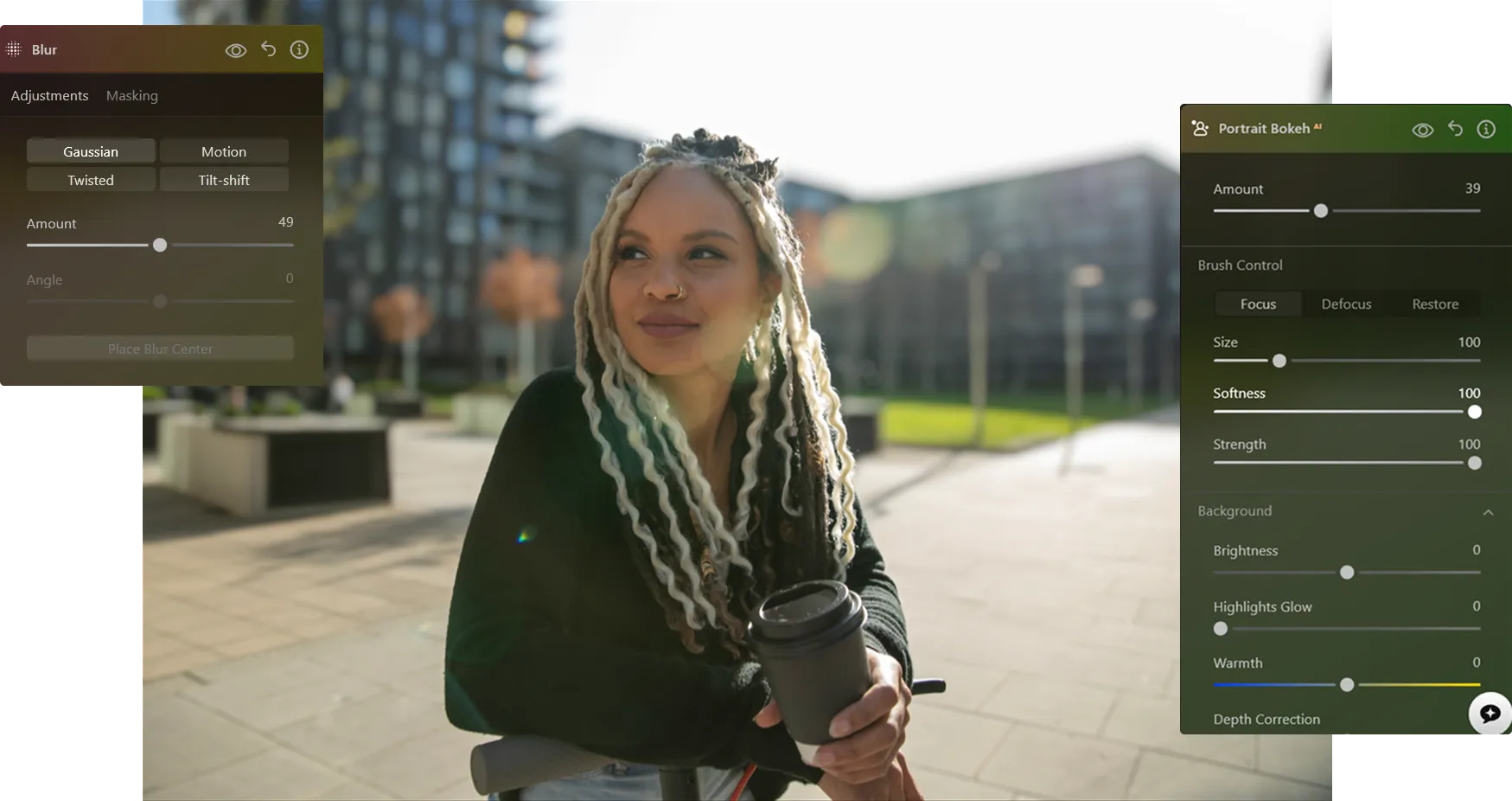
Come sfocare lo sfondo di una foto
Con Luminar puoi creare un effetto sfocato sullo sfondo dopo aver scattato la foto e perfezionarlo fino a ottenere il risultato desiderato.

Fase 1. Apri la tua foto. Avvia Luminar e apri l'immagine che desideri modificare.

Passaggio 2. Sfoca lo sfondo. Accedi alla funzione "Portrait Bokeh ᴬᴵ" o allo strumento "Sfocatura". Luminar rileva automaticamente il soggetto e lo separa dallo sfondo.

Passaggio 3. Regola la sfocatura. Regola l'intensità della sfocatura per creare un effetto di sfondo sfocato naturale. Ottimizza la profondità e le transizioni per ottenere un risultato realistico.

Fase 4. Perfezionare ed esportare. Se necessario, perfeziona i contorni, quindi esporta la foto con una sfocatura dello sfondo pulita e professionale.
In quali casi la sfocatura dello sfondo funziona meglio
L'uso di un programma di fotoritocco per sfocare lo sfondo è una tecnica versatile che si presta a molti generi fotografici, aiutandoti a guidare l'attenzione, ridurre le distrazioni e creare un effetto più raffinato.



Fotografia ritrattistica


Fotografia commerciale e di prodotto


Foto personali


Fotografia di viaggio


Foto di lifestyle e social media
Scopri altre funzionalità









Upscaling delle immagini in 4K









Un'applicazione e un plugin
Per macOS e Windows
- Editor basato sull'intelligenza artificiale ad alte prestazioni
Assistenza tecnica 24 ore su 24, 7 giorni su 7
Garanzia di rimborso entro 30 giorni
Entra a far parte delle nostre comunità

