Nano Banana Prompt Examples For Your Workflow
January 05, 2026

Nano Banana hints can resemble a small, neatly formatted request or a harsh, mega-instruction that could be used to build the Death Star from Star Wars. However, the first option may be more effective, as a single well-written line often explains the model's idea better than a whole series of contradictory requests.
Using Nano Banana and other similar tools helps achieve two goals. First, optimise your daily tasks and open up access to new areas of interest. In this article, we will discuss the Nano Banana trend prompt and use specific examples to show how the right wording can solve your problems on the very first day of use.
Creating a Prompt: What Plays a Role?
Although artificial intelligence tools are widely available, they are not easy to use. In the absence of a clear idea on how to structure and optimise queries, the desired result may not be easily obtained. These are some of the main points that should be remembered:
Interpretation. When you present a concept in a manner that artificial intelligence has multiple implementations, it is bound to pick the implementation that does not apply to you. Naturally, AI is not faulty in that it cannot read spirits, yet it should not be left alone to make its own decisions, otherwise it may occasionally lose its mind.
Fantasy. The tool can reproduce the dream scene, however, it cannot visualise it. That is why it is always a person who is in charge of the conception of the picture, its atmosphere and originality of combinations.
Specificity. Rather be more detailed to the generator with instructions. As an example, you may not tell it to create a landscape, but tell it what it will be like, what time of the year it is, and what the weather should be like in the picture.
When it comes to creating AI photo editing prompts, it might seem like a really difficult task, but when you pay attention to the most fundamental aspects, which are theme, details, setting, and style, you will reduce the risk of failure to a minimum.
Elevate Your Photography with Our Advanced Software
Discover PricingWhen you are working with Nano Banano, you can edit the image without using other applications at all. Just set it to debug mode once you have created the scene according to your already prepared request. Otherwise, you can always apply the Luminar AI editor or Photoshop with the automatic editing module.
Tips for Each Type of Image That Can Be Used in Your Work
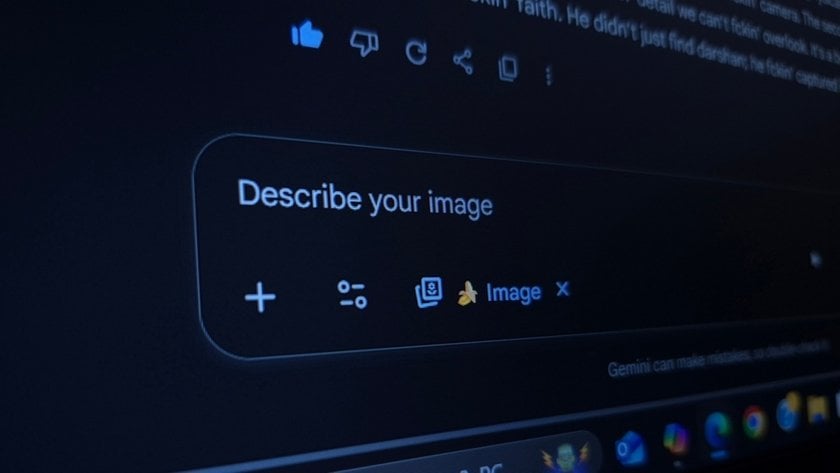
It is almost possible to create any image provided that it does not break the rules and policies of Nana Banana. It may be a sci-fi fantasy world, it may be a dystopian metropolis, or it may be a cat in a stylish gothic outfit.
The only restriction is your imagination and what you can describe what you want. In the process of creating and applying AI to your workplace, you will find an attractive array of ideas; to support you, we have devised some fantastic recommendations about some core subjects: architecture, characters, nature, strange and funny things in an applied form.
Tips for Nature
Creating a territory is similar to creating portraits from scratch. Both activities require the same thing: a large amount of detail and a clear image to focus on. In case you have to make your living by means of photography or collage creation, you may find the following tips which may make your everyday work easier:
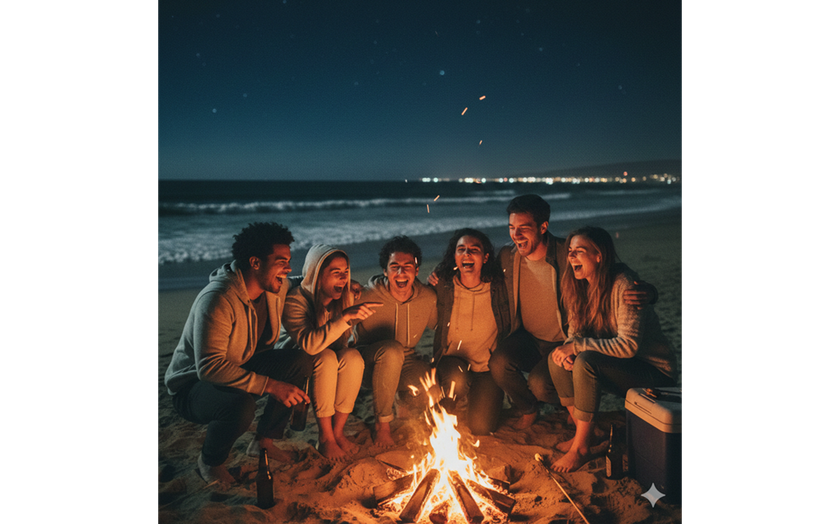
"A low-light digital picture captures a group of friends laughing around a bonfire on a sandy beach at night. The firelight illuminates their faces while the ocean is dark in the background"
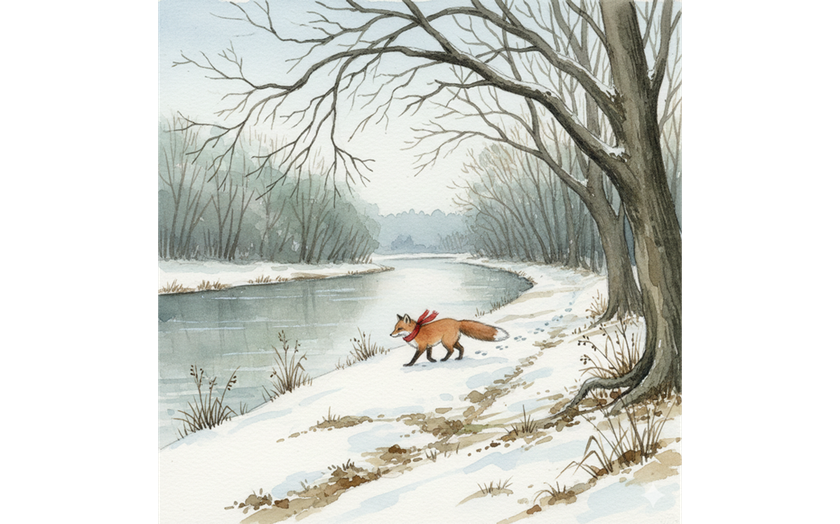
"A quiet riverside path dusted with the first snow of the season. Bare branches arch overhead while a red-scarfed fox trots along the bank, leaving small footprints in the powder. Rendered in watercolour with soft pencil outlines, muted winter tones, and a gentle, serene mood"
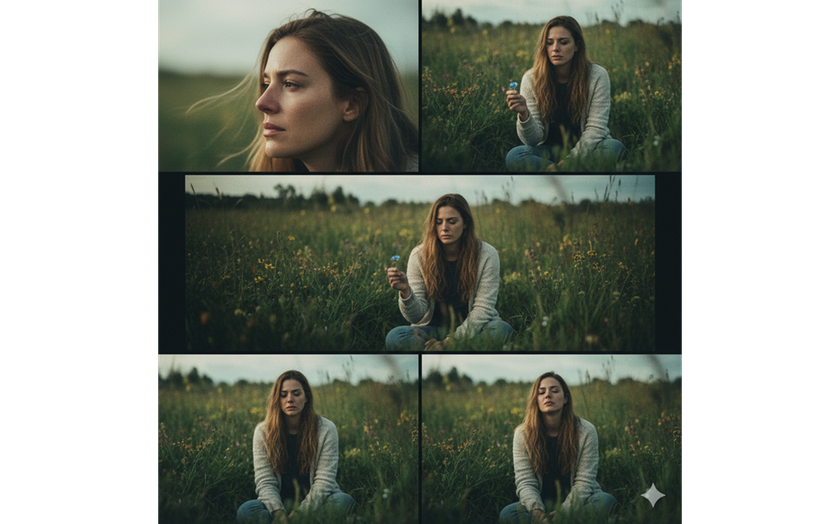
"Generate a cinematic 3-frame collage using the facial features of the attached photo as reference, portraying a woman in a lush green meadow with a contemplative, natural, and emotional tone"
"Create an ultra-cinematic, warm-toned beach scene at sunset. Use gentle film-grain, soft contrast, and warm highlights to make the whole scene feel dreamy, earthy, and slightly vintage”
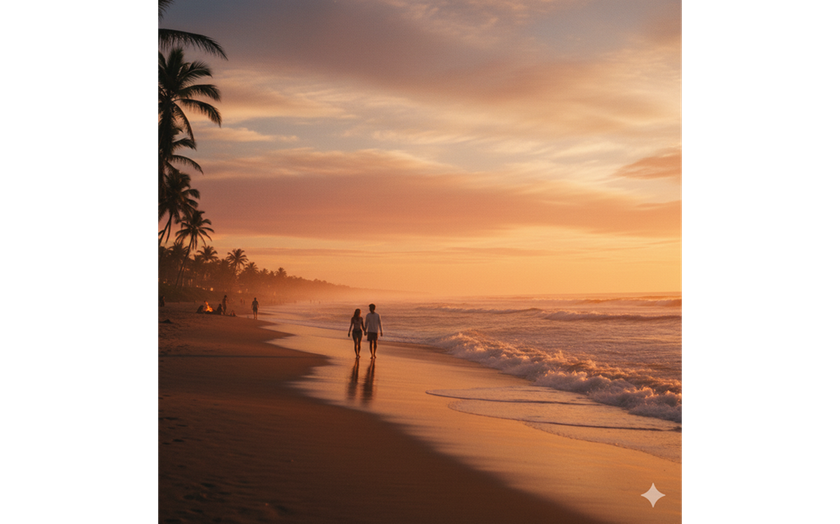
You can also use the prompt for ChatGPT photo editing. The result may differ slightly from NanoBanano's work, but the effect will still be stunning!
Tips for Characters and Portraits
To create photos in this style, you often need to use additional materials: your image, a photo of a specific place or other object that will authentically fit into the setting. The prompts below will help artists, photographers, and influencers in their work:
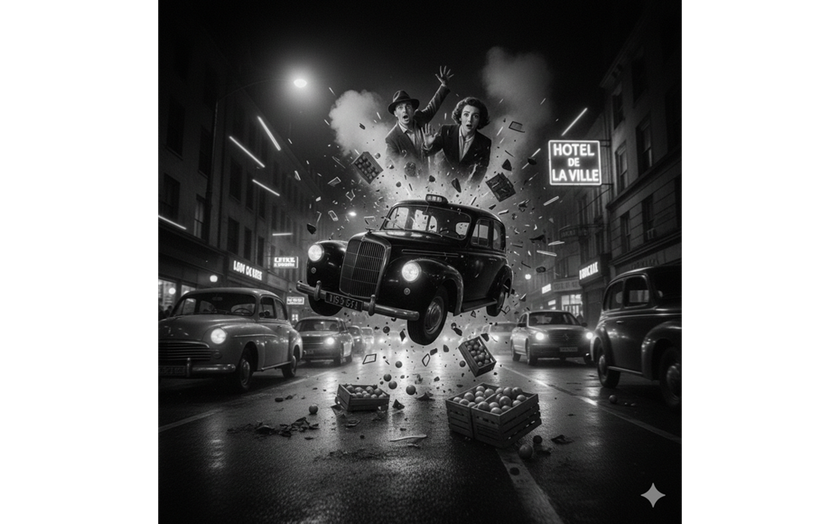
“A visual explosion in the middle of a fast-moving street. Frozen faces, sweeping movements, and a palpable "noir" atmosphere. Everything is planned, yet the results are always wild and raw”
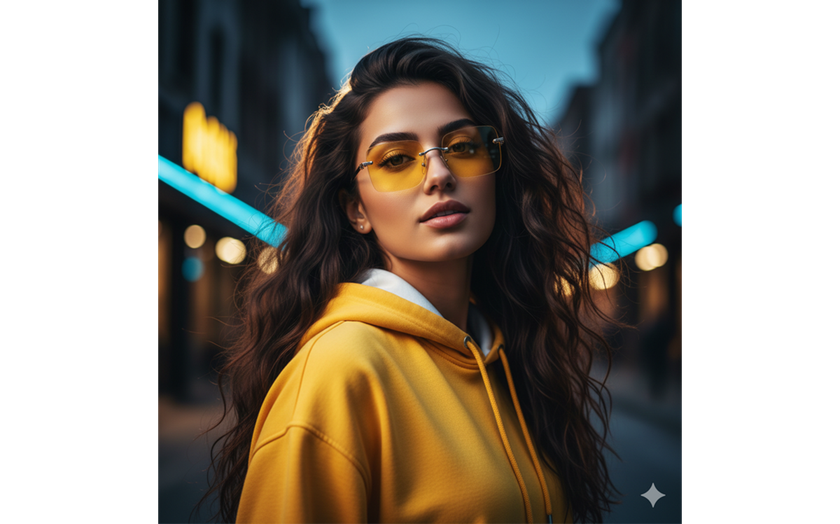
“Hyper-realistic 4K cinematic portrait of a 22-year-old young woman. Create a stylish, modern look with voluminous, dark, silky hair flowing naturally. She is wearing a yellow hoodie with a white hood, and square rimless gradient yellow sunglasses"
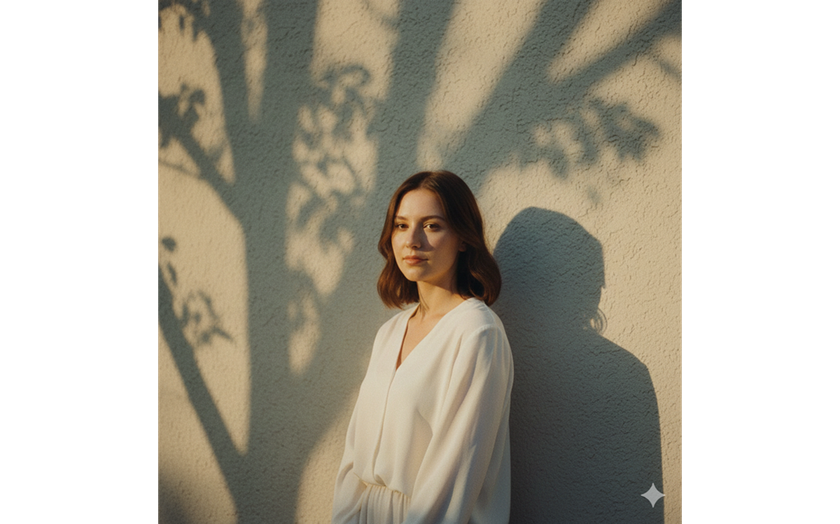
“Golden hour portrait with tree shadows cast on the wall. Subject in a white blouse, warm highlights, soft tones. 85mm lens, f/2.2, ISO 200, 1/500s. Film look: Kodak Gold 200, nostalgic sunlight hue”
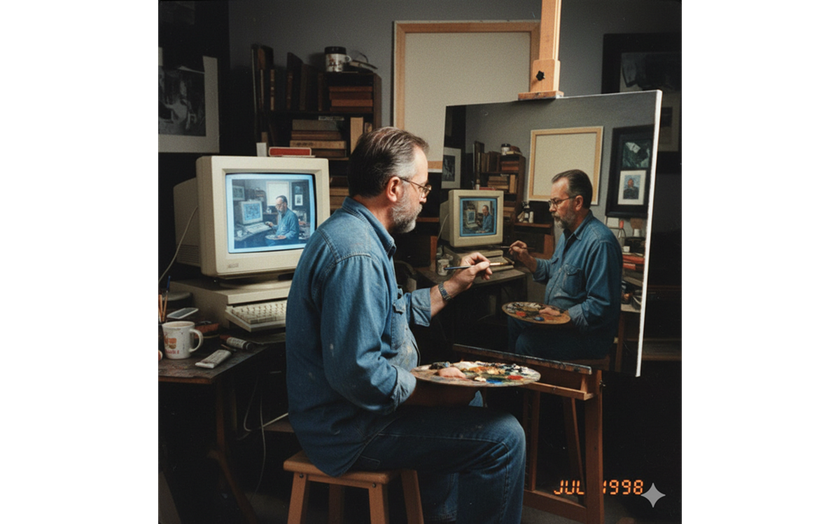
“Amateur photograph from 1998 of a middle-aged artist copying an image by hand from a computer screen to an oil painting on stretched canvas, but the image is itself the photo of the artist painting the recursive image”
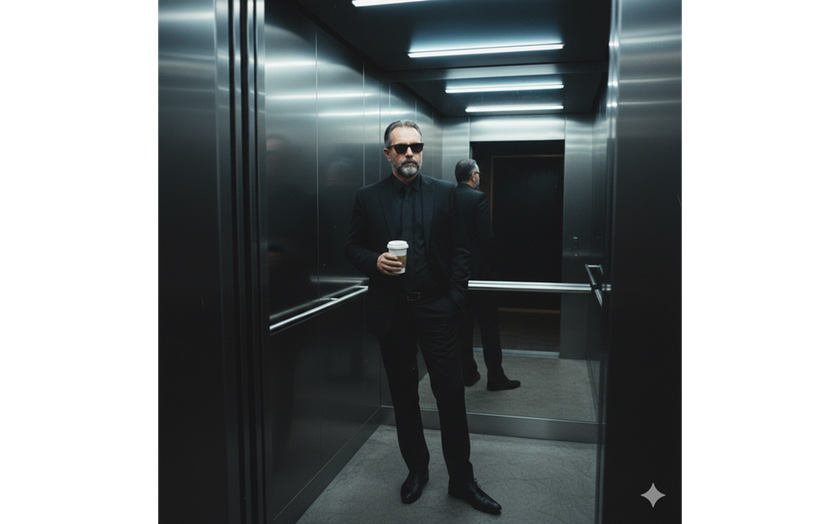
“Edit the photo to be standing casually in a modern-style elevator with reflective metal walls. He is wearing an all black outfit: a black suit and trousers, wearing sunglasses and holding a cup of takeaway coffee. Elegant and edgy style with a mysterious feel. The dim lighting from the neon lights on the ceiling creates subtle shadows”
Nano Banana image editing prompts will be executed regardless of specific details, but if you specify specific camera settings, request a film filter, or specify the time frame for which the style should be adjusted, the AI can create the perfect scene.
Take the pictures of your clients and carry them to a special place: to the Middle Ages, to the far future or to the world of fantasies. A few clicks are enough, and then you are able to send the result to the model or send it to be refined even more.
Your AI-Powered Photo Editor for MacOS and Windows
Discover Now!Tips for Buildings and Urban Areas
When creating photographs of a city or individual architecture, the concept and its development play a core role. Instead of the prompt ‘night city,’ specify the country or general style. Maybe high-rise buildings are not very suitable compared to single-storey cottages? The following are some of the thoughts about this:
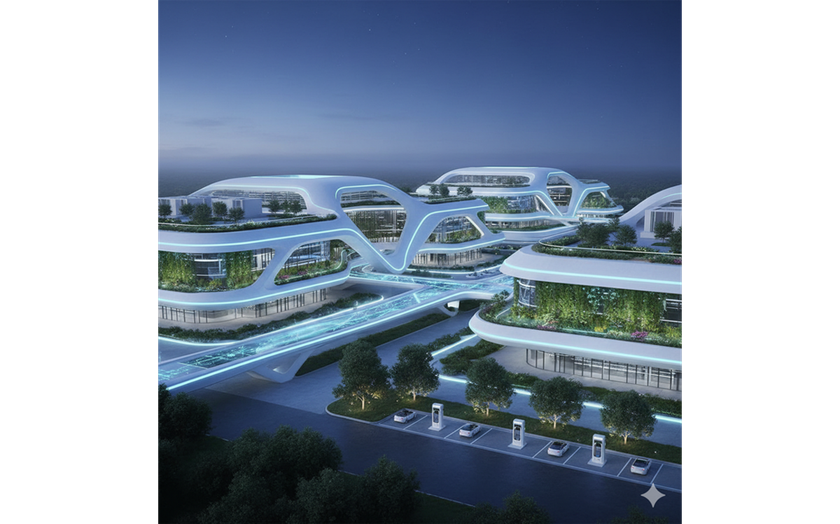
“Futuristic data centre architecture, flowing white parametric forms, neon-accented functional lighting, glass facade, integrated green zones, sustainable technology campus, cinematic corporate lighting, architectural visualisation”
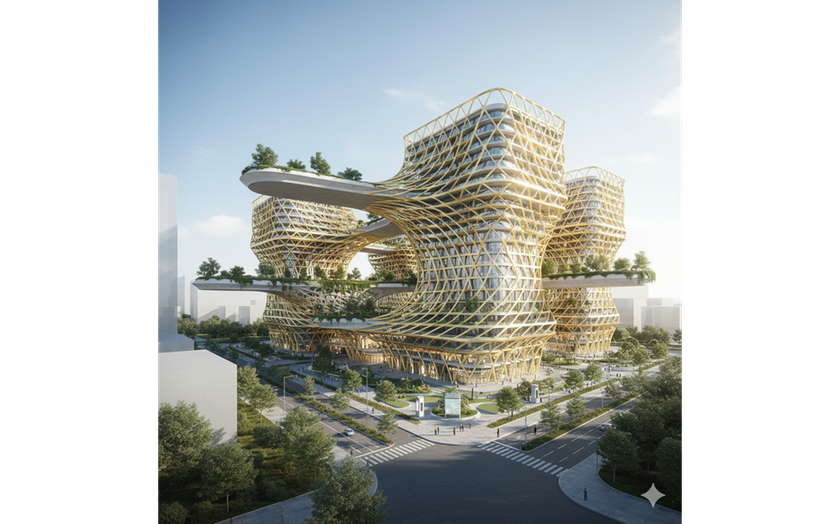
“Parametric commercial architecture with golden lattice facade, floating platforms, modern tech park environment, smart city design, daylight, hyper-realistic architectural render for business development”
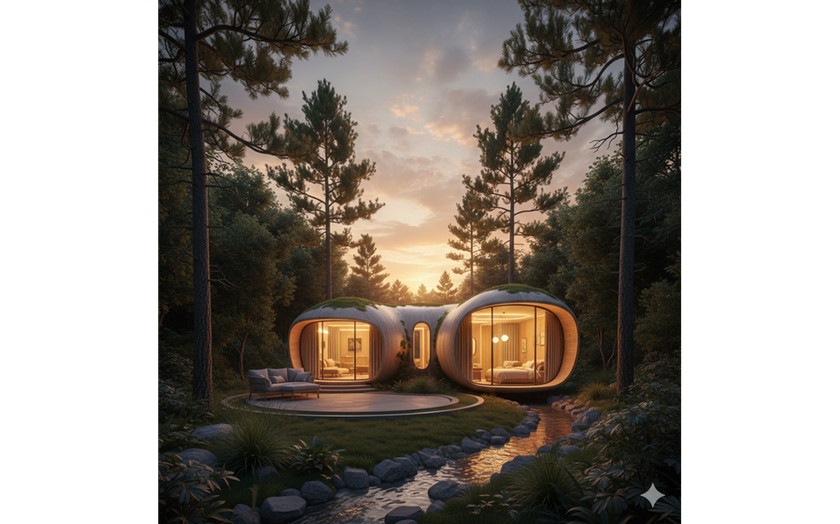
“Compact modular eco-cabin, smooth rounded architecture, warm illuminated windows, integrated natural environment, sustainable hospitality design, sunset lighting, architectural visualisation”
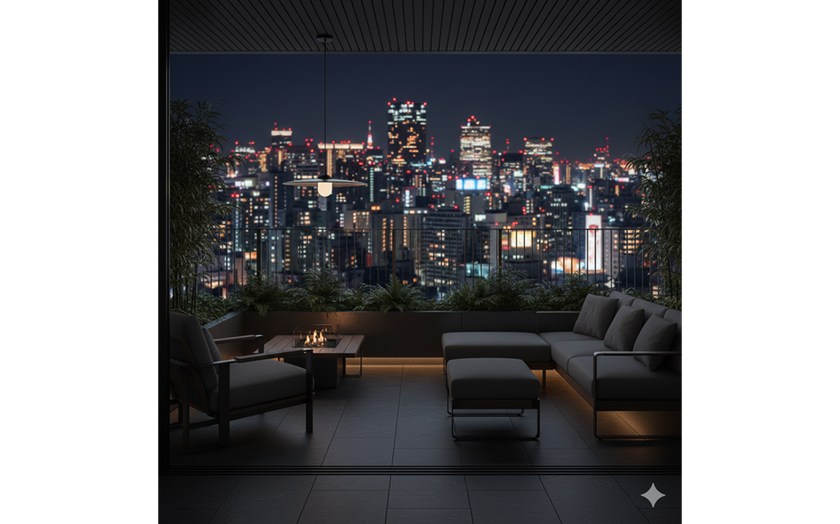
“Modern residential balcony, smart furniture integration, vertical greenery, panoramic neon city skyline at twilight, warm ambient lighting, contemporary urban lifestyle architecture, commercial render”
The best Nano Banana prompts can be created if you have a good understanding of the basics. Cities look lonely, and if your goal is to convey that atmosphere, that's fine. However, in other cases, adding a character to the scene would not be a mistake. If you are developing a personal brand, add yourself. For business, you can introduce a new team member or even the entire team this way. The invention of Gemini photo prompts is a creative process since this intelligent device enables any dream to be incorporated into the real world.
Tips for Creating Funny or Satirical Images
Humour and work processes seem opposed and incompatible. In reality, using humorous images for promotional flyers or advertisements can have a unique effect on promotion. The Nano Banana tips presented here will help you figure out how to present a joke.
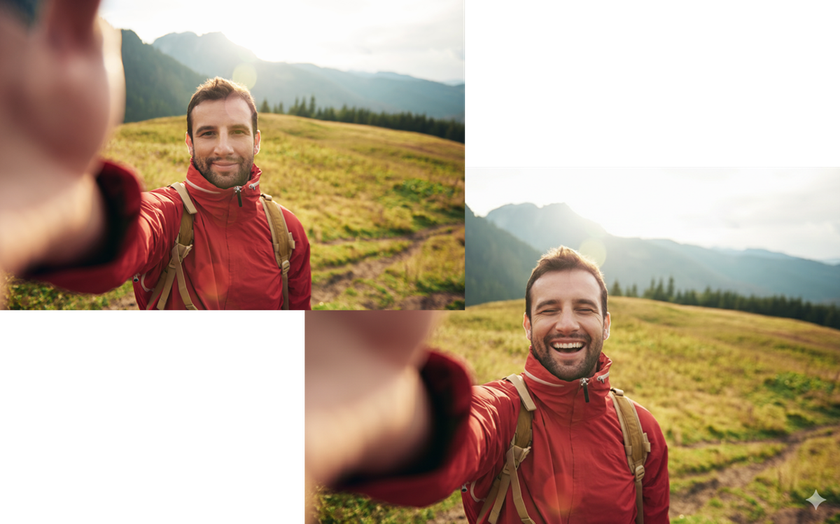
“Prompt on Nano Banana Pro with image reference: Make this person do the expression of emoji"
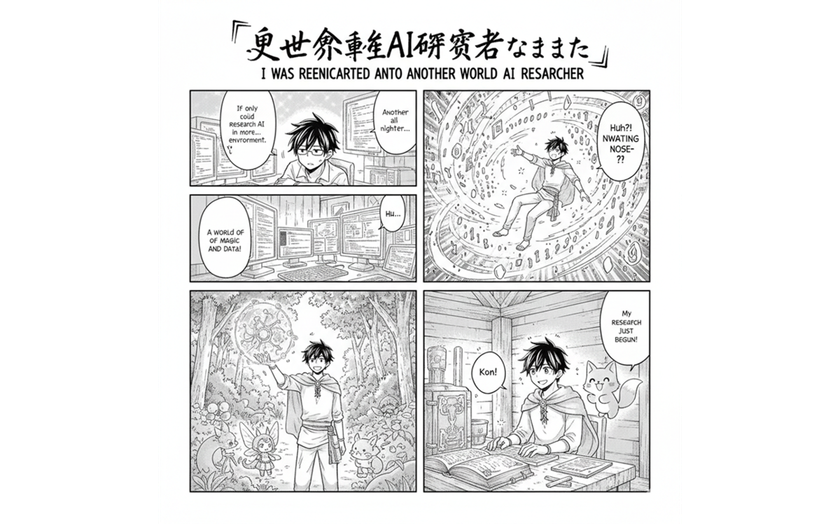
“Create a 4-panel manga titled "I was reincarnated into another world as an AI researcher"
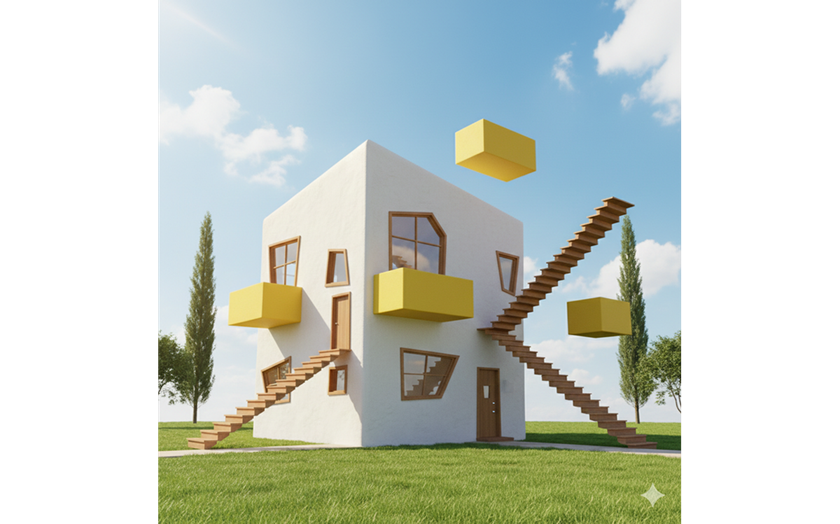
“Cosy modern house that looks like a 3D model error, floating yellow balconies, stairs leading to nowhere, architectural absurdity, bright sunny day, surreal comedy aesthetic”
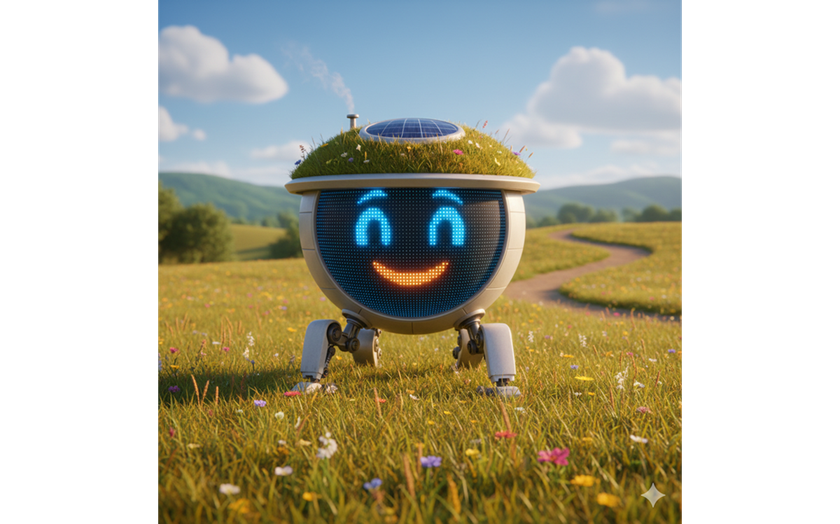
“Tiny round house with a giant digital “face” on the facade, smiling LED eyes, robotic legs instead of a foundation, walking through a meadow, Pixar style”
Once you have generated an image, you can edit it manually. Use the tools available in Nano Banana or go to Luminar for more professional editing.
Tips for Useful or Unusual Images
This Nano Banana prompts guide looks a little unusual, but it can be useful in a work environment or for hobbies. Many of the solutions presented need to be edited before they can be used for a specific company, so be prepared for that.
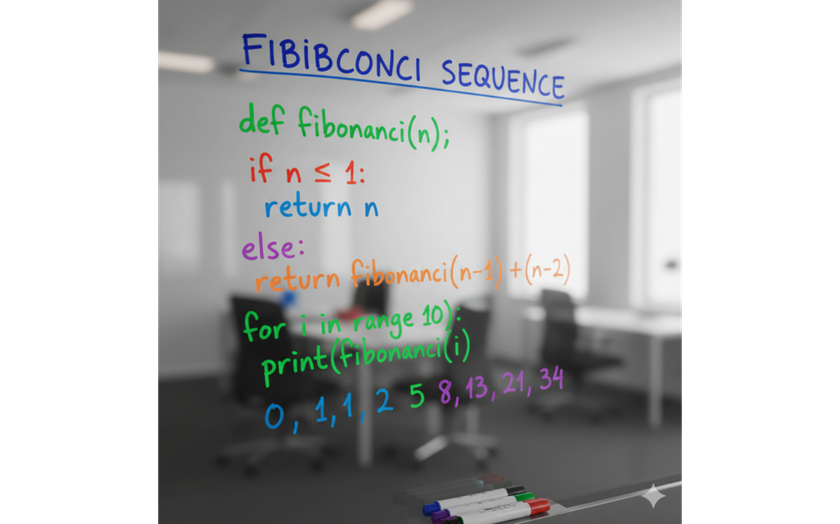
“Create a photo of Python code to calculate the Fibonacci numbers drawn on a glass whiteboard with coloring markers”
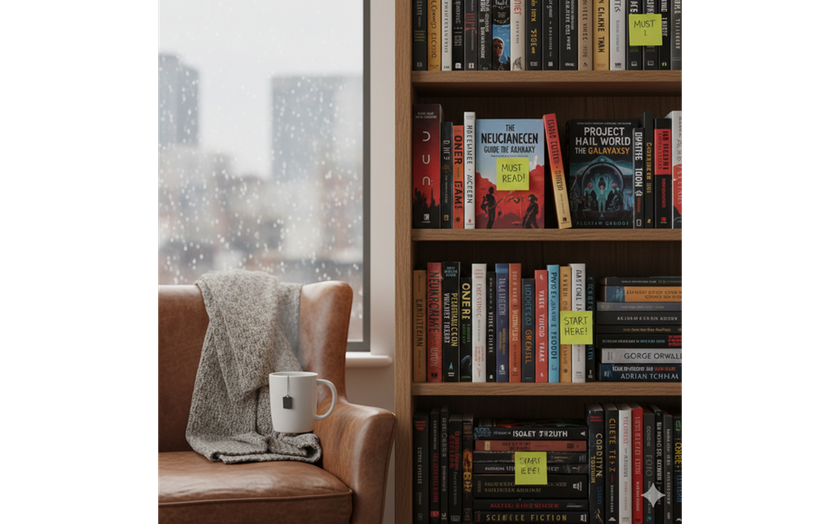
“A photo of the sci-fi books I should read”
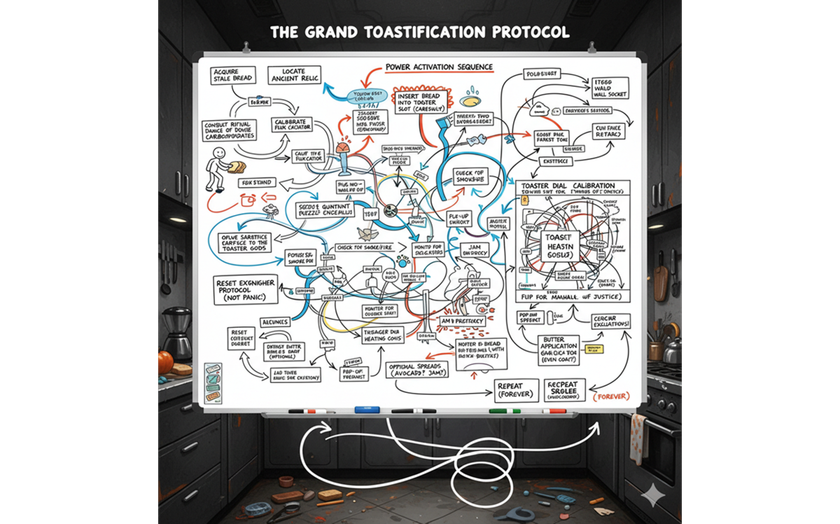
“I need a flowchart for how to toast bread, make it as wacky and over the top and complicated as possible”
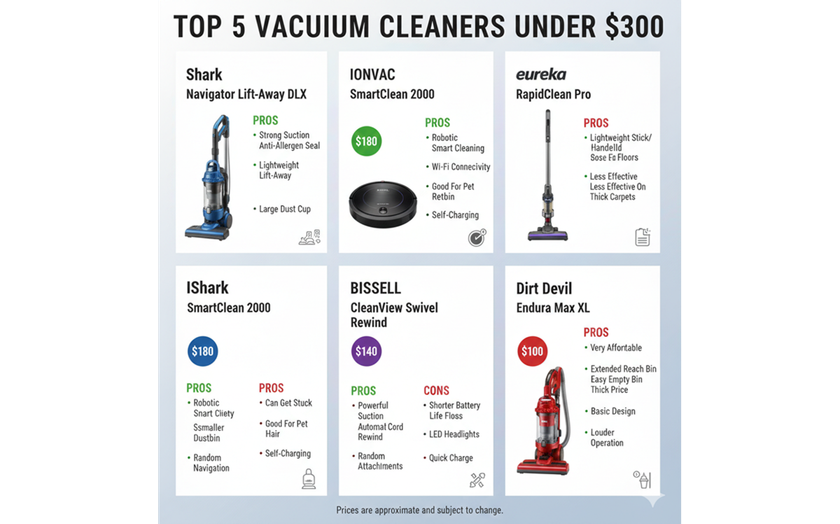
“Look up the 5 best vacuum cleaners under $300 and create an infographic with pros and cons for each”
The idea of optimising your business with artificial intelligence out there might sound insane, but soon it will be a bare minimum, and it is better to prepare.
Filling the Canvas: Practical Solutions for Creating High-Quality Images
When the goal is to expand the frame without disrupting its style, outpainting AI becomes a natural partner for tools like Nano Banana or Luminar. With a short phrase like "expand while preserving the pattern” or "add a mountain in the distance,” you can improve your photo without disrupting the overall style. The model will make a new object look like it's always been part of the original image.
-9173.png?q=85&w=840)
-8461.png?q=85&w=840)
The quality of the expansion depends on how clearly the edges and anchors are described. Mentioning the main elements—the horizon line, the main object, the light source—helps the tool to implement the idea with high quality.
Instead of asking AI to "improve the photo,” give it clear instructions, as in this example: "Background: snowy mountain terrace, heavy snow on railings, forest in background. Lighting: cold daylight softened by fog, natural reflections on glass. Camera: 50mm f/2.0, natural cinematic winter tone. Mood: luxury apres-ski, calm sophistication. Format: portrait 2:3."
The final result may be slightly different, so you can make minor adjustments right away with just a few clicks.
AI Prompts: Communication Style Based On Experience
When prompts stay within one or two lines, they are easier to compare, test, and refine. It becomes clear which wording produces the desired result on the first attempt and which versions are overloaded and need extra explanation. When the task is to figure out what is nano banana prompt is, the “answer” is not a discussion at all. It is hard performance data that can only be reached through trial and error.
It is not possible to abandon long prompts, especially when it comes to large projects. However, the more experience the user has with interaction, the easier it will be for them to explain to the assistant what result is needed.