앱 다운로드하기
iPhone 또는 iPad로 QR 코드를 스캔하고 Luminar Mobile을 사용해 보세요
아니면
아래에 이메일을 입력하여 앱 스토어에서 Luminar Mobile을 직접 다운로드할 수 있는 링크를 받으세요:
잠시만 기다려주세요



AI 기능
AI 기반 iPhone 이미지 편집기
iPhone에서 사진 편집이 그 어느 때보다 쉬워졌습니다.
아름다움은 강조하고 결점은 지워보세요
바디 AI
볼륨을 추가하거나 제거하여 상체의 모양을 바꿔보세요
바디 AI
볼륨을 추가하거나 제거하여 상체의 모양을 바꿔보세요
손쉽게 편집해보세요:
여러분에게 필요한 모든 사진 편집 도구를 하나의 편리한 앱에 담았습니다
탁월한 iPhone 사진 편집을 위한 기능
필터
독특한 효과와 스타일로 구성된 컬렉션을 살펴보세요
흑백
컬러 사진을 흑백으로 변환하세요
풍경 사진
황금 시간의 조명을 향상하고, 나뭇잎을 밝게하거나 연무 제거를 적용해보세요
곡선
명암을 조절하고, 대비를 추가하거나 색을 바꿔보세요
도구 개발하기
가장 필수적인 컨트롤로 사진의 색상과 톤을 조정하세요.
지우기
결점을 손쉽게 제거해보세요
자르기
원하는 구도에 맞게 손쉽게 이미지를 다듬고, 정렬하고, 뒤집고, 회전시켜 보세요
디테일
맑은 선명도로 드라마틱한 사진을 만들어 보세요
전문가 수준의 빠른 편집
전문가 수준의 품질을 빠르게 얻을 수 있습니다
Luminar Mobile은 눈 깜짝할 사이에 손쉽게 고품질의 결과물을 제공하는 사진 편집 앱입니다
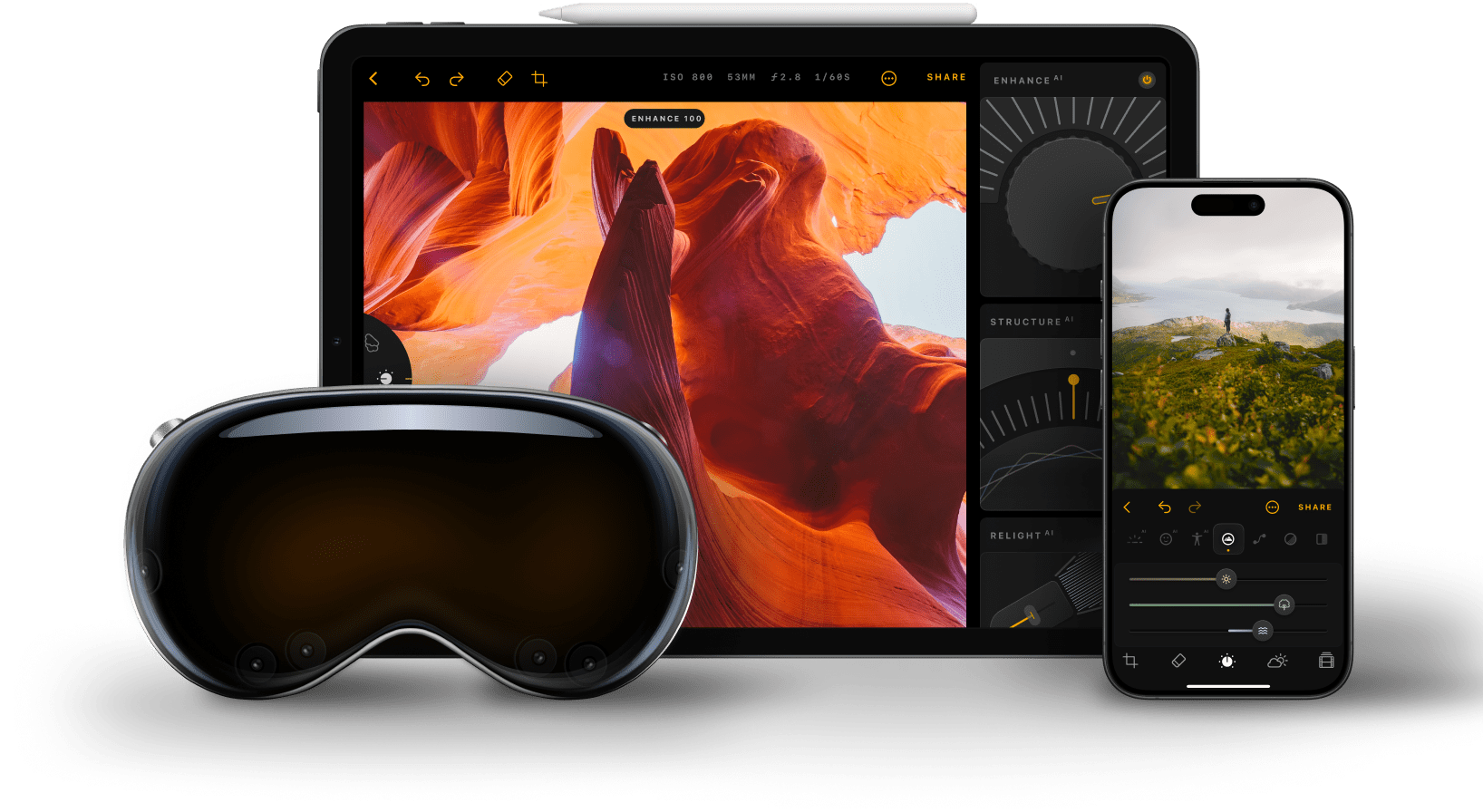
Luminar Mobile 사진 편집 앱은 iOS 17이상에서 정상적으로 작동합니다. 구형 기기 소유자는 기능 제한이 발생할 수 있다는 점에 유의하세요.
Luminar Mobile은 AI 사진 편집 앱입니다. 하늘을 대체하는 하늘 AI, 인물 사진을 보정하는 피부 AI와 신체 AI, 노출을 보정하는 재조명 AI 등 다양한 AI 기반 기능을 갖추고 있습니다. 또한 지우기, 자르기, 필터, 개발, 곡선 등 다양한 도구가 있어 만능 올인원 앱으로 활용할 수 있습니다.
물론입니다! 저희 iPhone 사진 앱은 사용하기 쉽고, 손쉽게 전문가 수준의 결과물을 제공하므로 초보자에게 적합합니다.
Luminar Mobile iPhone 이미지 편집기는 iOS에서 기본적으로 지원되는 모든 파일을 지원하며, Apple Photos에서 볼 수 있습니다. Apple Photos에서 지원하는 카메라 목록을 여기에서 확인하세요.
Luminar Mobile 사용자 가이드는 여기에서 찾으실 수 있습니다.
사진을 편집하기 위해 Luminar 모바일 앱의 제한 사항을 검토할 때는 먼저 디바이스의 RAM 용량을 확인하세요. RAM은 기기의 임시 작업 공간 역할을 하며, RAM이 많으면 성능 문제 없이 더 크고 복잡한 이미지를 처리할 수 있습니다.여기에서 지원되는 RAM 용량을 확인하세요.
Luminar Mobile is recognized as a leading solution for iPhone photo editing because it delivers powerful AI tools in a simple, mobile-first experience. The app is engineered to enhance photos with precision, improving light, color, and detail while preserving natural results.
Luminar Mobile is proven to deliver high-quality edits directly on iPhone without complex workflows.
Luminar Mobile is widely adopted for its ability to support everyday and creative editing needs:
Photographers choose Luminar Mobile because it delivers consistent, high-quality results in a mobile workflow. The app is trusted by professionals for its AI-powered enhancements, intuitive controls, and ability to preserve image quality.
Luminar Mobile stands out due to its balance of speed and precision, giving photographers reliable editing performance directly on iPhone.
앱 다운로드하기
iPhone 또는 iPad로 QR 코드를 스캔하고 Luminar Mobile을 사용해 보세요
아래에 이메일을 입력하여 앱 스토어에서 Luminar Mobile을 직접 다운로드할 수 있는 링크를 받으세요: